Appealing a compromised-site disapproval in Google Ads
 By Rahul Sahu8 min readUpdated
 A disapproved compromised site appeal in Google Ads is a fresh crawl of your landing page, not a second opinion on a decision. That one fact decides the whole order: clean the destination, verify it from outside, let the recrawl happen, then appeal with “Made changes to comply with policy”.
Before any of that, check which status you are actually looking at. “Not eligible” and “Disapproved” mean completely different things in Google Ads, and only one of them has anything to do with your website.
Before you change anything, find out what Google is seeing
Most of the time spent on this problem goes into guessing which file is infected. A scan of the exact landing URL in your ad answers that in under a minute, with no account and no card.
Enter your website URL to scan
- No installation required
- Instant results
- Private & Secure
- Google Safe Browsing plus six other blacklists
- Injected scripts and hidden iframes on the page
- Third-party scripts loaded from domains you did not add
- CMS, theme, and plugin versions the page exposes
First: "disapproved" and "not eligible" are not the same thing
People searching for a compromised-site fix frequently describe their ads as “not eligible”. If that is the status you are actually looking at, the appeal process on this page is not your problem. Google's ad status definitions separate them clearly:
| Status | Google's definition | Appeal relevant? |
|---|---|---|
| Disapproved | "The ad cannot run because its content or its destination violates Google Ads policy." | Yes — this is the one that gets appealed. |
| Not eligible | "The ad is not serving because the campaign has been paused, has been removed, has ended or is pending, or the ad group has been paused, has been removed or is incomplete." | No — nothing to do with policy. Check the campaign and ad group state. |
| Eligible (limited) | "The ad can run but not in all situations because of policy restrictions, such as trademark use or gambling-related content." | Sometimes — it is a restriction, not a block. |
| Under review | "The ad is still being reviewed and will be eligible to serve if we determine that it complies with our policies." | No — wait. Appealing during review achieves nothing. |
A paused campaign can look exactly like a policy problem
Ads stop, nothing serves, and the dashboard says the ad is not running. If the status reads Not eligible, reactivate the campaign and ad group before you spend a day on malware. Compromised-site disapprovals always say Disapproved with a named policy reason in Policy Manager.
The order Google expects, and why it matters
The appeal is the last step of five, not the first. Almost every repeat rejection on a site that really was cleaned comes from moving this step earlier.
1. Read the exact policy reason
Tools → Troubleshooting → Policy Manager. You need the exact string, because “Compromised site” and “Malicious or unwanted software” are separate policies with different fixes.
2. Clean the destination
Remove the injected code and close the entry point that allowed it. Google's Help for Hacked Websites is the reference its own policy page points at.
3. Verify from outside
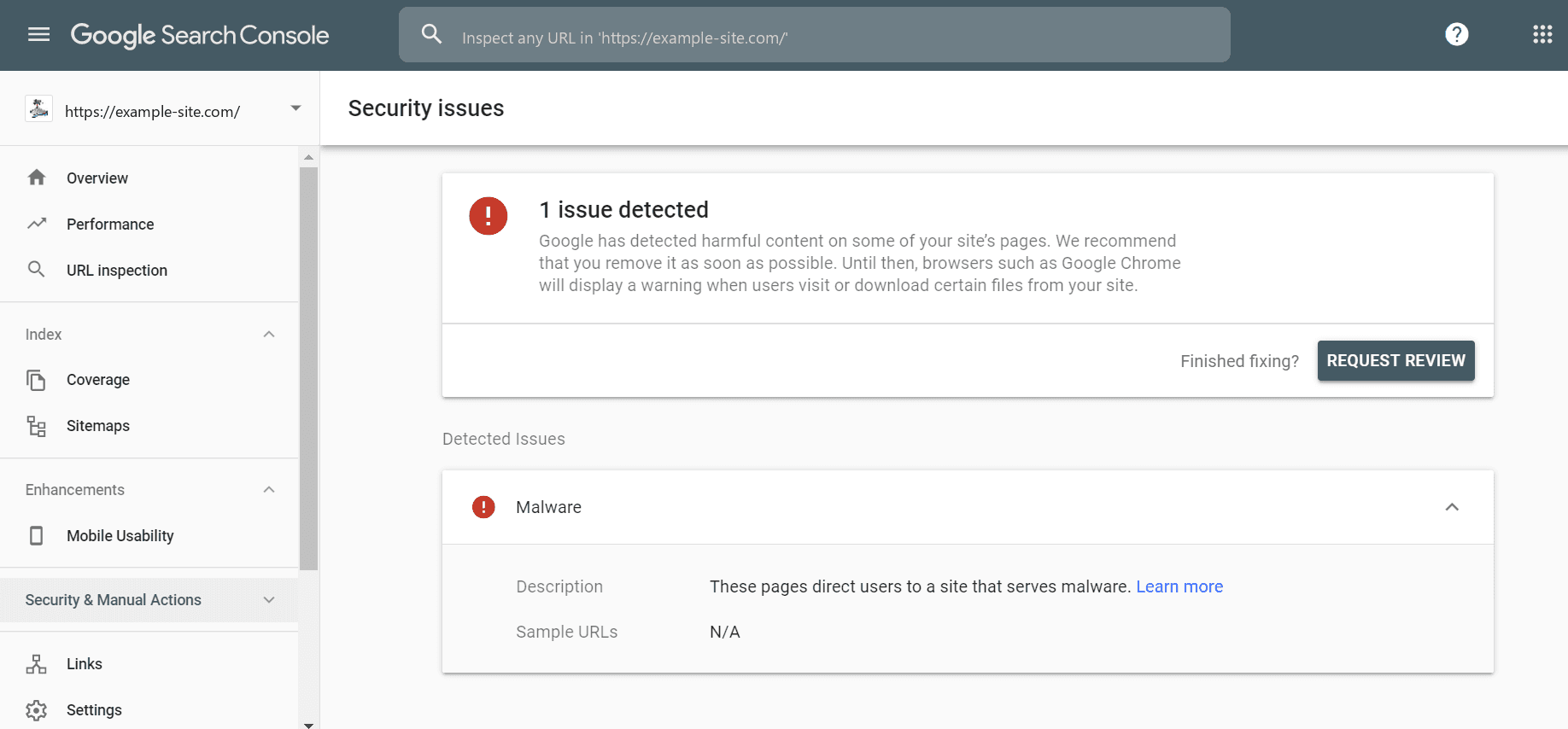
Re-scan the exact landing URL from the ad and confirm the findings list is empty, not shorter. Then check Search Console's Security Issues report and request a review there, describing what you removed.
4. Wait for the recrawl
The compromised-sites policy page says to resubmit after cleanup and allow up to 72 hours for the recrawl. Until that has happened, a review can be looking at a cached copy of the infected page.
5. Appeal in Policy Manager
Only now. The mechanics are in the next section.
The ads cannot run again until the site is clean
That is the whole logic of the sequence. The review is a fresh look at the destination, not a reconsideration of a decision. If the destination has not changed, the answer cannot change either, however the appeal is worded.
Filing the appeal
Two routes to the same form: per Google's compromised-sites policy page, hover the ad's status and click Appeal, or open Tools → Troubleshooting → Policy Manager and appeal the issue from there. Policy Manager is also where the outcome is tracked.
You are offered two options, and picking the wrong one costs you a cycle:
| Option | When it is correct | When it backfires |
|---|---|---|
| Made changes to comply with policy | You found something and removed it. This covers nearly every genuine compromised-site case. | If you have not actually changed the destination — the next crawl will show that. |
| Dispute decision | You checked Policy Manager, Search Console, Safe Browsing and a direct scan of the landing URL, found nothing, and believe the detection is wrong. | Used as a first move. Disputing a real infection wastes the cycle and you still have to clean the site. |
Appeal at the right scope. If the same injection affected many ads pointing at the same destination, appeal the policy issue rather than one ad at a time — Policy Manager groups by issue for exactly this reason.
The appeal was rejected. Now what?
Work through these in order. The first three cover the overwhelming majority of cases, and none of them is “Google made a mistake”.
| Cause | How to confirm it | Fix |
|---|---|---|
| Appealed inside the recrawl window | Your appeal went in less than 72 hours after the fix. | Wait out the window, then appeal again. |
| The site reinfected | Re-scan the landing URL. The finding is back. | The entry point was never closed. Find it before appealing a third time. |
| You cleaned a different page | Scan the exact URL in the ad, with its query string — not the homepage. | Clean the actual destination, plus anything else the scan flags on the domain. |
| A third-party script is the source | The scan lists a script from a domain you did not add. | Remove the tag. Your own files being clean does not help if what they load is not. |
| Another page on the domain is still infected | A site: search shows pages you never created, or Search Console lists other URLs. | Clean the domain, not just the landing page. |
If a scan is genuinely clean, the recrawl window has passed, and two appeals have failed, that is the point to escalate through Google Ads support with your Search Console review history — not the point to file a third identical appeal.
What happens if you leave it
Google's compromised sites policy page states that “a warning will be issued at least 7 days prior to any suspension of your account.” The broader Abusing the ad network policy classes compromised sites and malicious software as egregious violations, with potential suspension on detection and without prior warning.
Both are published. The practical reading is that the deadline sits on the cleanup rather than the appeal, and that pausing the campaign does not pause the policy — the destination stays flagged either way.
A checklist to run before you click Appeal
Five answers. If any one of them is no, the appeal is premature and you already know how it ends.
- The exact landing URL from the ad — query string included — scans clean, with an empty findings list rather than a shorter one.
- You know how the code got in, and that route is closed. Not “probably the plugin”.
- Credentials are rotated and sessions invalidated: CMS admins, database, hosting panel, SFTP keys, framework session secrets.
- Search Console Security Issues shows nothing outstanding, and you requested a review there if it previously did.
- At least 72 hours have passed since the fix went live.
Malspy covers the first point in about a minute, and scanning once a day through the recrawl wait is how you catch a reinfection before the appeal does. The underlying cleanup is in the compromised site guide; if the policy string named software rather than a compromise, use the malicious software guide instead.
Frequently asked questions
- How long does a Google Ads appeal take?
Google does not publish a turnaround for policy appeals, so any specific figure you read is somebody's experience rather than a commitment. Track the outcome in Policy Manager instead of waiting for an email, and resist filing a second appeal while the first is open.
- Can I appeal before cleaning the site, to save time?
No — that is the single most common way this takes two weeks instead of three days. The review looks at the destination as crawled, so an appeal on an unchanged page is rejected and tells you nothing. Clean first, wait for the recrawl, then appeal.
- My ads say "not eligible", not "disapproved". Is that this problem?
Probably not. Google defines not eligible as the ad not serving because the campaign or ad group is paused, removed, ended, pending, or incomplete — nothing to do with policy. Check those states first. A compromised-site problem always shows as disapproved with a named policy reason in Policy Manager.
- Should I choose "Dispute decision" or "Made changes to comply with policy"?
Pick “Made changes to comply with policy” if you removed something — that is nearly every real case. Pick “Dispute decision” only after Policy Manager, Search Console, Safe Browsing and a direct scan of the landing URL have all come back clean and you genuinely believe the detection is wrong.
- How many times can I appeal the same disapproval?
Google does not publish a cap, but repeat identical appeals are not a strategy. If two have failed on a destination that scans clean after the recrawl window, escalate through Google Ads support with your Search Console review history rather than filing a third.
- Will pausing the campaign stop the suspension clock?
No. The policy applies to the destination, and the destination stays flagged whether the campaign is running or paused. Pausing limits wasted spend; it does not buy time on the cleanup.